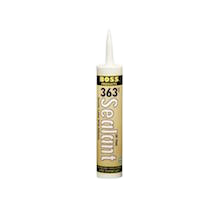
Installation & Care InstructionsEasy Installation Guidelines Texture Plus® simulated siding is easily installed with no special equipment or expertise needed and will not absorb moisture and will not warp, rot or crack. The faux panels are simply installed using construction adhesive and screws. Texture Plus® faux panels may expand and contract with temperature changes, so install the faux stone panels as tightly as possible and follow the storage and faux panel installation instructions carefully. The following instruction guidelines will help provide the best installation results for your next project. Storing Texture Plus® Faux Panels Store Texture Plus® faux panels flat on a surface in order to avoid ‘bowing’. If panels are stored in an upright position and do bow, lay them flat and they will self-correct. Hot Weather Installation If faux panels have been stored under hot conditions, allow the simulated siding to cool down to normal temperature before installation. Cold Weather Installation If faux panels have been stored at room temperature or cooler, you may install faux panels immediately. Recommended Adhesive We recommend PL® Premium Construction Adhesive or similar adhesive. Mechanical Fastening Use either exterior or interior screws as appropriate for your installation. Texture Plus® faux panels are easily installed using tools found in almost everyone’s toolbox. To complete a wall, we recommend using:
Getting Started Texture Plus® simulated stone siding should be installed on solid backing. To install faux panels, simply run a bead of adhesive along the back of each faux panel and at each end. Make sure to spread the adhesive with a spackle knife or other appropriate tool. Use enough adhesive so that the entire surface of the cut edge at each end is covered. We strongly recommend use of construction adhesive and screws in every joint. All joints should be butt joints on straight runs and mitered joints in corners. Texture Plus® faux panels may require additional shimming and trimming for alignment.
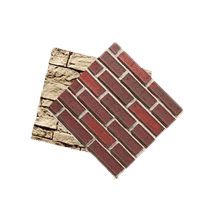
WeatherSeal INTERLOCK Faux PANELS or STANDARD Faux PANELS Apply glue to the backs of the faux panels and screw into wall using dry wall screws (interior) or galvanized screws (exterior). Be sure that the tongue portion of the faux panel is on top, groove portion on the bottom. Slide the adjoining faux panel into theWeatherSeal groove, then glue and screw in place. Repeat until the row is complete. To begin the next row, offset the next row by ½ sheet to provide a more seamless effect. Follow finishing instructions below.
First, set a table saw blade to a 45-degree angle. Then, cut miter to the edge of a row of bricks. Next, take the remaining piece and rotate it 180 degrees to cut off the width of a ½ brick. Check the two pieces for final fit. Then take the first piece and apply and spread glue to the back of the faux panel. Fit the glued piece to the wall and screw it to the wall using dry wall screws. Fit the second piece and then glue and screw in place. Gently roll edges into each other with a hard, rounded object. Follow finishing instructions below.
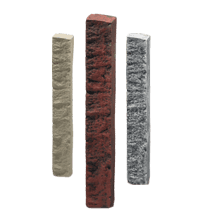
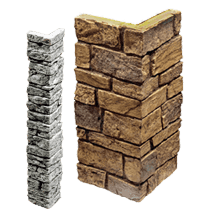
First, finish the walls with Texture Plus® faux panels. Next, overlay the molded corner directly on top of the corner faux panels and check for fit. Apply glue to the back of the corner. Use longer screws to attach the corner to both corner faux panels and the wall being covered. Follow finishing instructions below. How To Use Texture Plus® MOLDED CORNERS Using A Butt Joint First, attach molded Texture Plus® corner to the wall by applying glue to the backside of the corner and screwing into the wall using drywall screws. Next, align a Texture Plus® standard faux panel (or trim an interlock faux panel) to the molded corner. Then apply glue to the back of the faux panels and screw into the wall using drywall screws. Follow finishing instructions below. FINISHING INSTRUCTIONS For All Projects For a final finish, use Texture Plus® color-matched caulk to fill all screw holes and space in the WeatherSeal joint. Smooth caulk and wipe away any excess (a wet rag works well) and finish the seams of the wall to complete the project. |